Building FieldDojo
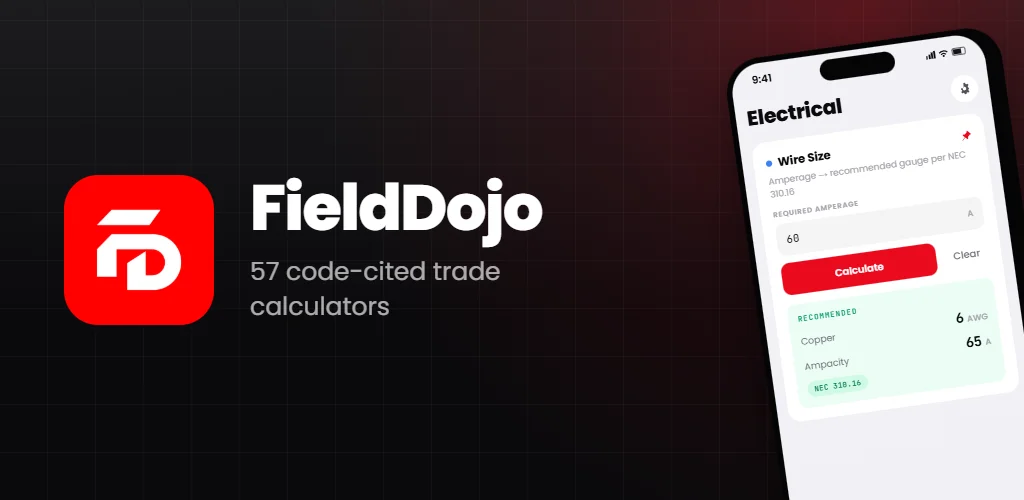
FieldDojo is a calculator app for people who carry tools. Construction, HVAC, electrical, and plumbing pros need numbers fast, in the field, usually without signal — and they need to defend those numbers to an inspector later. It's offline-first, code-aware, and built to use one-handed. Free on the App Store and Google Play, with an optional Pro tier for the paperwork side.
Get FieldDojo on the App Store → · Get it on Google Play →
Why I built it
Every trade has the same three problems on the jobsite: you need a calculation, you need the code reference behind it, and you need a record of what you ran two days ago when the inspector asks. The usual toolkit for that is a generic calculator app, a paper formula card taped to the truck dashboard, and a PDF of the NEC nobody can search on a 5-inch screen with gloves on.
So I built FieldDojo as one app that runs the calculation, shows the formula and the code reference, saves history per project, and hands the office a text summary, a CSV, or a branded PDF — all with no network connection.
What it does
Calculators that show their work
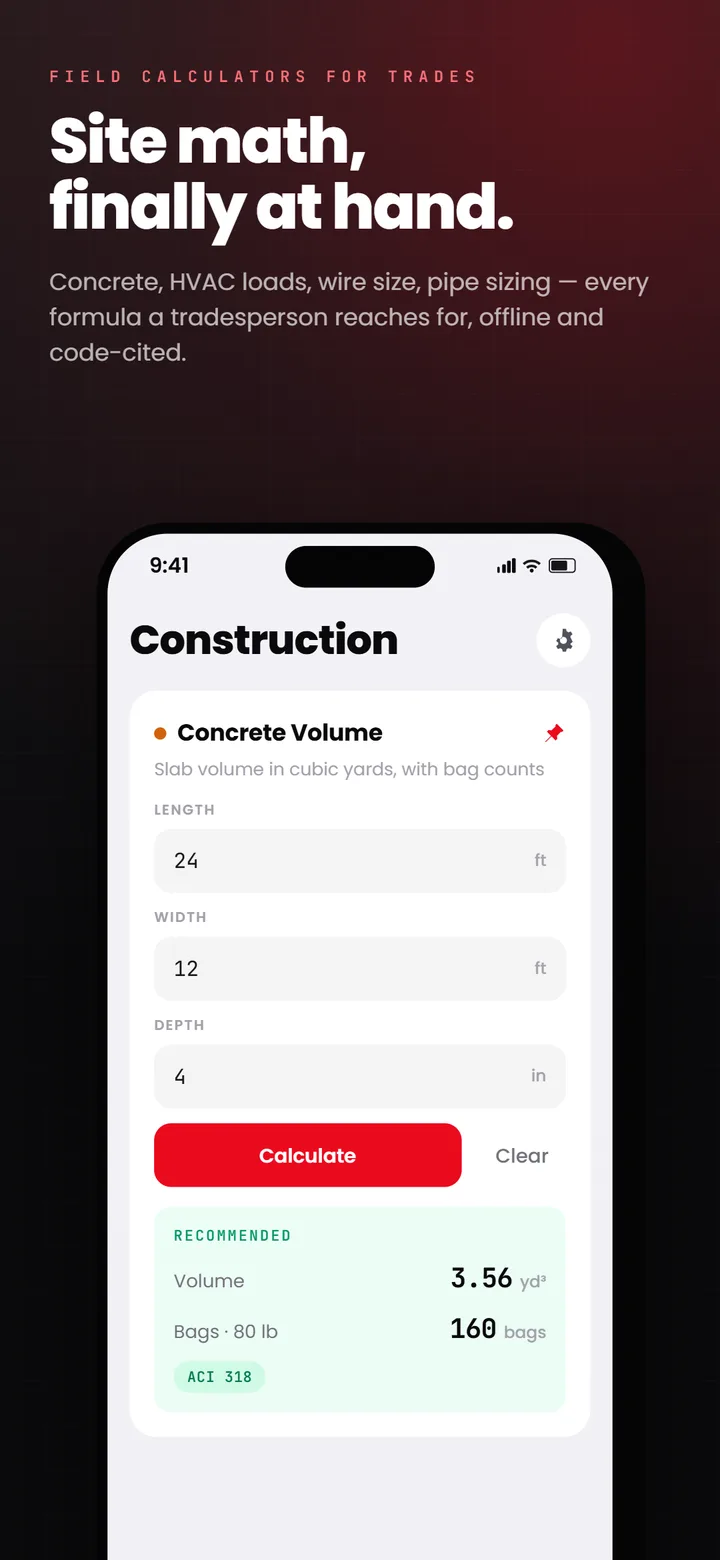
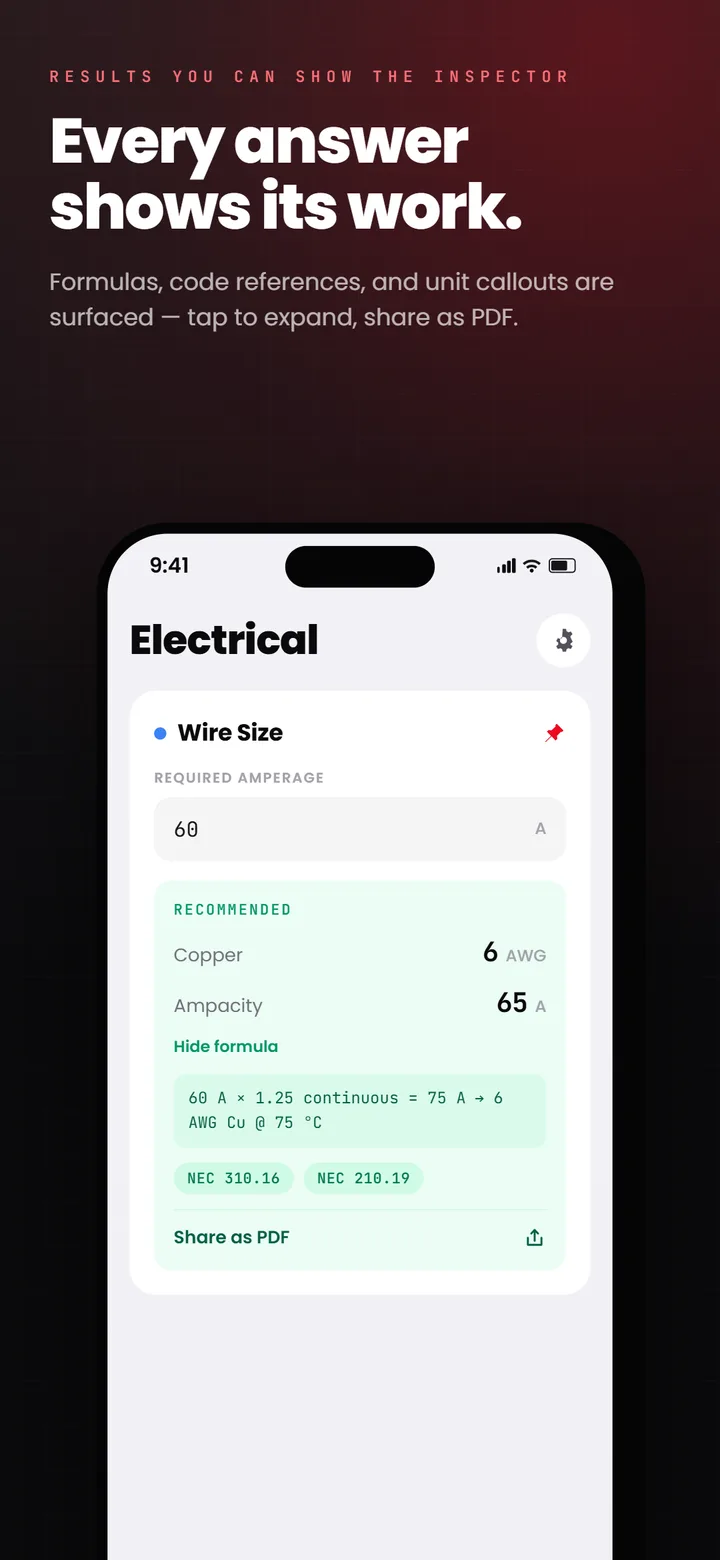
Every FieldDojo calculator does three things at once: it gives you the answer, it shows the formula, and it cites the governing code. Run a voltage drop calculation and you get the result, the Vd = 2 × K × I × L / CM derivation, and a badge linking to NEC 310.16. Run a BTU load and you get the ACCA Manual J reference. Run a pipe sizing calculation and you get the IPC E103.3 badge. Nine code sets are cited across the app: NEC, ASHRAE, ACCA, UPC, IPC, NFPA 54, IRC, IECC, and ACI 318.
A generic calculator gives you the number and nothing else. On a jobsite the number has to hold up when an inspector or a GC asks where it came from, so every result here carries its formula and its code section with it.
Four trades, 57 calculators
FieldDojo ships 57 calculators across the four trades I work around most:
- Construction (26): concrete volume and bags, board feet, stud count, drywall, roofing squares, roof pitch, rafter length, stairs, paint, tile and grout, thinset, flooring, carpet, deck boards, fence, pavers, gravel, mulch, CMU block wall, retaining wall, insulation R-value (IECC), a feet-inch calculator, and a unit converter
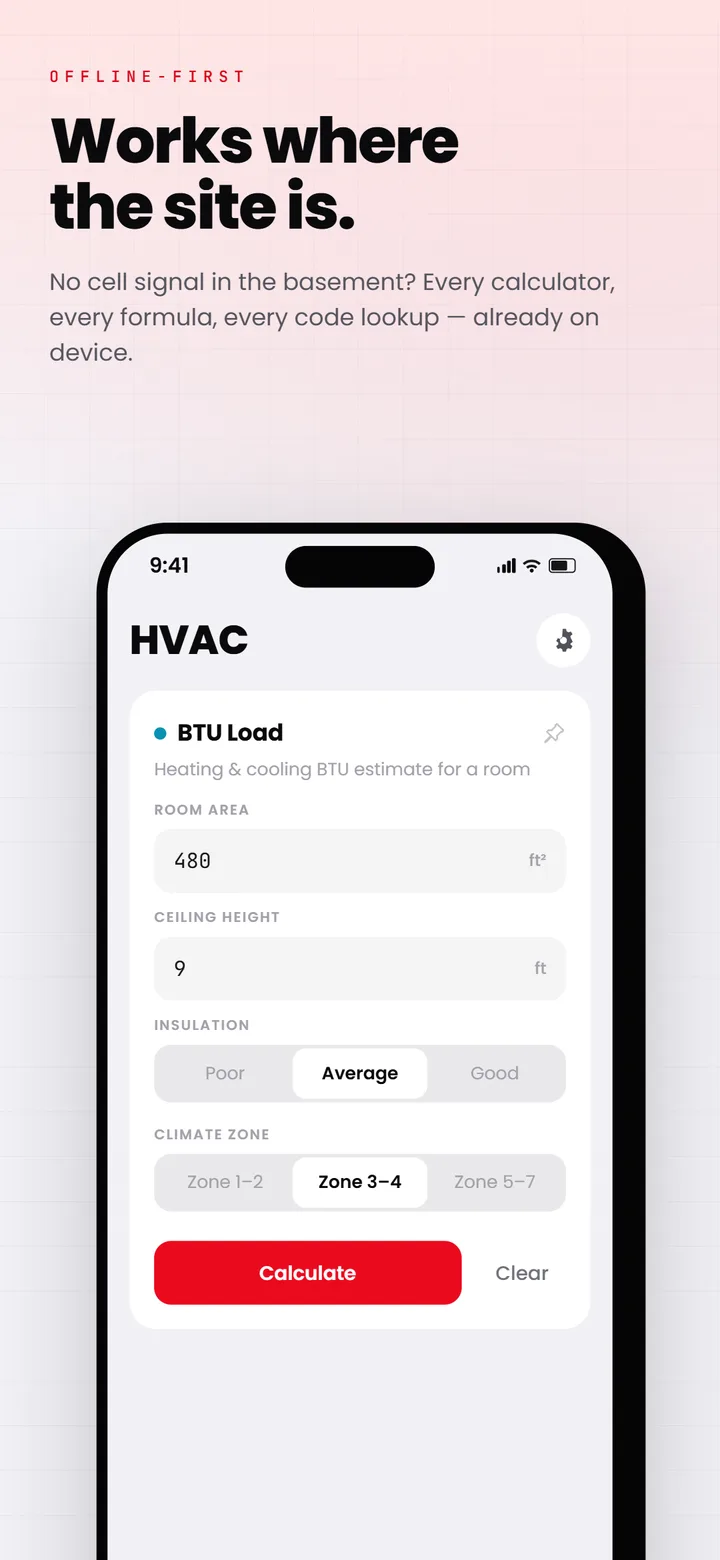
- HVAC (8): BTU load (Manual J–style), duct sizing, refrigerant charge, air changes per hour, tonnage, heat loss, SEER savings, CFM per ton
- Electrical (14): wire size, voltage drop, conduit fill, conduit offset bend, breaker size, motor FLA, ground wire size, ampacity derating, transformer kVA, three-phase current, dwelling load (NEC 220), Ohm's law, a power converter
- Plumbing (9): pipe sizing, gas pipe size (NFPA 54), flow rate, water pressure loss, drainage slope, fixture units (DFU), water heater sizing and first-hour rating, septic tank size
Where the method differs by jurisdiction, the calculator has a regional variant: US, Canada, UK, and EU, citing CEC, NPC, BS 7671, HD 60364 and the rest. A search tab finds any calculator by field slang as well as by name, and a built-in code-reference reader shows the relevant section without leaving the app.
Each trade gets its own color accent (orange for construction, cyan for HVAC, blue for electrical, emerald for plumbing) so you know what mode you're in at a glance. Imperial and metric both work, one tap to switch.
Offline-first project grouping
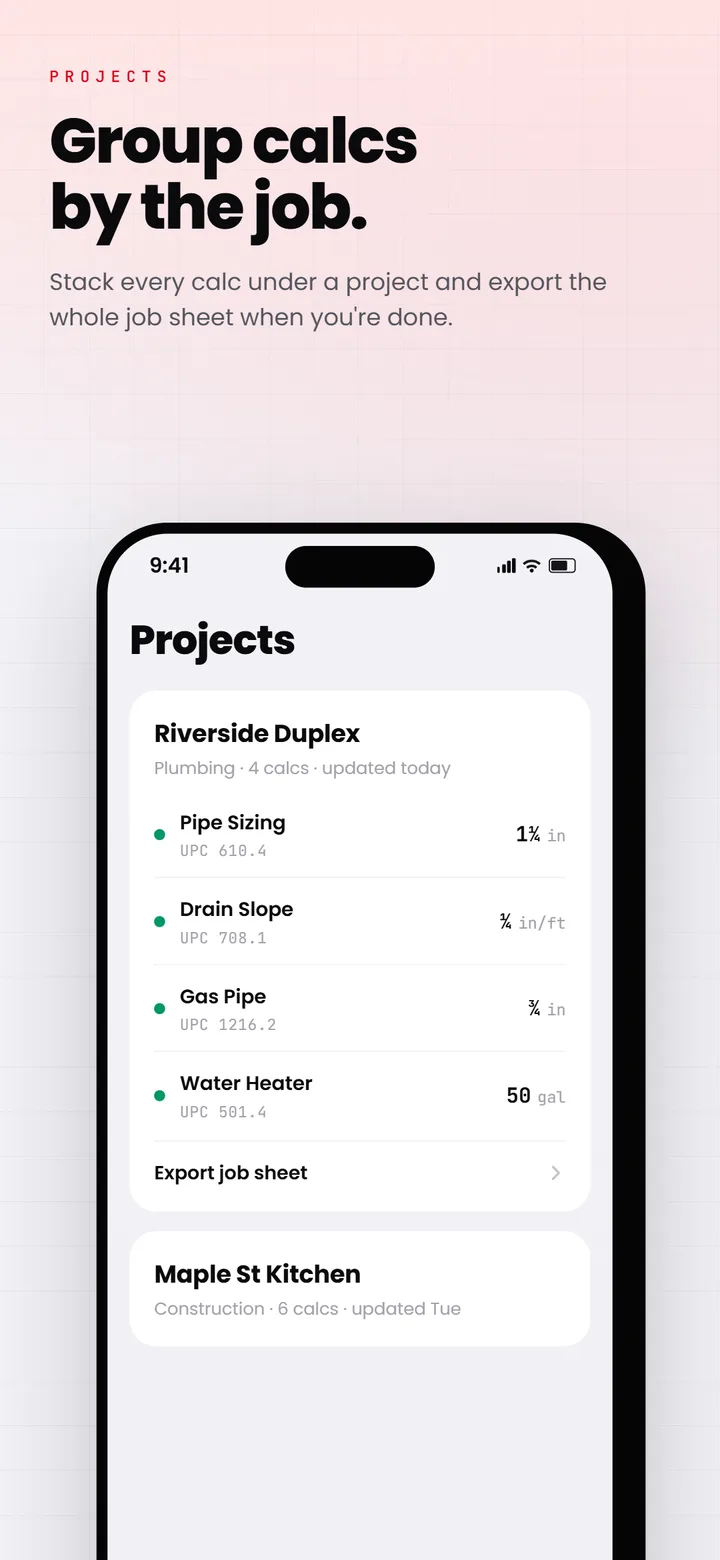
Every calculation saves to local SQLite history, scoped to the project you're on. Switch projects from the calculator screen and only that project's history shows. On Pro, a sync engine pushes the local queue to the backend when connectivity returns, with exponential backoff and server-wins conflict resolution. Run calculations all day in a basement with no signal; everything lands in the cloud the moment the phone sees Wi-Fi. Free accounts keep one project and the last 30 quick calcs on-device.
Material cost estimates
Tap any result and FieldDojo adds a material cost estimate — concrete by the cubic yard, copper by the foot, refrigerant by the pound, drywall by the sheet. The price list ships with the app as US national averages, and every price is editable in Settings so it matches your supplier. It's not a quoting tool, it's a sanity check before you commit to a supply run.
Share it as text, CSV, or PDF
Any calculation shares as plain text or exports as CSV through the native share sheet, free. Pro adds a branded PDF: inputs, formula, code reference, cost estimate, and your company block, formatted to print clean on one page. Email it to the office, drop it in a project folder, text it to the customer.
Built for one-handed use
Big touch targets, high-contrast result cards, typography that holds up in direct sunlight, haptics on every input. The UI runs on the New Architecture — bridgeless mode, Fabric, Reanimated 4 on the UI thread — so animations stay at 60fps even on older Android phones.
The stack
Tradespeople bet a workday on these answers, so I picked the most predictable stack I know.
Mobile — Expo SDK 57 + React Native 0.86
The whole app runs on the New Architecture: bridgeless mode, Fabric renderer, TurboModules, Hermes. Startup skips the old bridge tax entirely, and animations stay on the UI thread thanks to react-native-reanimated 4 and react-native-worklets.
Routing is Expo Router with NativeTabs — each trade is its own tab with a stack inside, plus a search tab. State is Jotai for UI and TanStack Query for server state, with API hooks generated from the backend's OpenAPI spec via Orval, so a backend change rebuilds the typed client automatically. Styling is Uniwind + Tailwind v4 with custom CSS-wrapped primitives; trade colors, typography, and spacing tokens all live in global.css.
Local storage — op-sqlite + Drizzle + MMKV
History lives in op-sqlite with Drizzle ORM for type-safe queries and migrations. Preferences (unit system, default trade, onboarding state) sit in MMKV for instant synchronous reads. A one-time migration moves legacy MMKV history into SQLite on first launch, so nobody loses data on upgrade.
Backend — Hono + Drizzle + Postgres
The API is Hono with OpenAPI 3.0 + Zod, serving an interactive Scalar UI at /reference and a JSON spec at /doc. Every route is typed end to end — Zod schema, AppRouteHandler handlers, tests through Hono's testClient.
Auth is Better-Auth with email/password, Sign in with Apple, Google, anonymous sessions, and the Expo plugin. Anonymous users get a real session on first launch, so their offline calculations sync the instant they create an account — and account linking moves the local history over without dropping a single calculation. The database is self-hosted Postgres with Drizzle migrations; uploads go to S3-compatible object storage with EXIF and GPS stripped on the way in. Logging is Pino with request IDs and structured fields.
Marketing site — Astro 7
The site at fielddojo.com. Astro 7, config-driven, blog content collections, JSON-LD for posts, an llms.txt for AI crawlers, and a handful of the electrical calculators running on the web. It's self-hosted: Bun builds it in Docker, Caddy serves it behind Traefik. Sitemap, RSS, and per-page SEO metadata run through a vendored Astro integration.
Crash reporting, analytics, and Pro
Sentry for crashes (with proper Hermes source maps), Firebase Analytics for product metrics, RevenueCat for FieldDojo Pro. The math is free and stays free: all 57 calculators, the code references, text and CSV sharing, no ads. Pro is $4.99 a month, $29.99 a year, or $79.99 once, and it buys the paperwork side — PDF reports, cloud sync, unlimited history and projects, and full code-reference pages. The analytics layer sits behind an abstraction, so swapping providers later is a one-day job, not a rewrite.
The knowledge base that compounds
One thing FieldDojo has that most apps don't: a structured knowledge base of trade domain knowledge. The wiki/ directory holds pages on building codes, engineering formulas, material properties, and field practices — and I maintain it with an LLM-assisted workflow as I add calculators or ingest new code references.
When a new reference lands (a new IRC chapter, an ACCA Manual J update, a regional code amendment), it gets synthesized into the wiki, the index updates, and any calculators that should change get flagged. The wiki is also the grounding source the next calculator is built against, so each feature ships with deeper code awareness than the last. The accuracy compounds over time instead of drifting — it's the part of this project I'm most proud of.
What's coming
FieldDojo is out on both stores. Development doesn't stop — the roadmap:
- Walkthrough — sweep a room with the phone you already own, no LiDAR. The photos stitch into a 360° panorama on-device using my own Expo Panoramic Stitcher module, pin to a floor plan with calc hotspots, and share as a read-only link the inspector opens in a browser. The backend and web viewer are live; the mobile side is in device testing and ships to Pro next.
- More calculators — solar (string sizing, inverter ratios), refrigeration (cooling load with humidity), framing (header sizing per IRC R602). Each one ships with a wiki page explaining the formula and citing the code.
- Office accounts — admin views for shops with multiple field techs: every project, every tech's calculations, every PDF, in one dashboard. Field techs keep working exactly as they do today.
Who it's for
Independent contractors who'd rather run one app than five. Field techs in HVAC, electrical, and plumbing who need fast, code-aware math on-site. Estimators who want a sanity check before quoting. Apprentices learning the codes, who get the formula and the reference badge with every result.
FieldDojo is being built in public. If you run trade math more than once a week, grab it on the App Store or Google Play and tell me what calculator I should build next.